3D design software has become a game-changer for all kinds of creators, from hobbyists to professionals. Whether you’re designing a simple object for fun or crafting intricate models for work, there’s a tool out there for you. With so many options, though, it can be tough to figure out where to start. In this post, we’re breaking down some of the best 3D design tools by My Home to help you find the right fit for your needs.
Key Takeaways
- 3D design tools cater to a variety of users, from beginners to experts.
- Free and paid software options are available, each with unique features.
- Some tools focus on collaboration, making them great for team projects.
- AI-powered tools are reshaping how we approach 3D modeling.
- Consider cost, features, and community support when choosing a tool.
Top 3D Design Tools for Beginners by My Home
User-Friendly Features for Starters
Starting out with 3D design can feel overwhelming, but some tools are designed to make the process smooth. Tinkercad, for example, is a drag-and-drop platform that simplifies creating basic shapes. Another great option is 3D Slash, which feels more like playing a game than designing. These platforms prioritize intuitive interfaces, so you can focus on creativity without getting bogged down by complex controls.
Affordable Options for New Designers
Not everyone wants to drop a ton of money when they’re just getting started. Thankfully, there are budget-friendly tools out there. Tinkercad is completely free, and SelfCAD offers a reasonable subscription plan with advanced features. For those who want to try before committing, many platforms provide free trials or stripped-down versions of their software.
Community Support and Tutorials
When you’re new, having a supportive community and easy-to-follow tutorials makes a huge difference. Tools like SelfCAD and Tinkercad come with built-in tutorials and active forums where you can ask questions. Plus, platforms like Ruach Home provide insights into creating functional and aesthetic designs, which can inspire beginners to think creatively about their projects.
Starting your 3D design journey doesn’t have to be intimidating. With the right tools and resources, you can turn your ideas into reality faster than you think.
Advanced 3D Modeling Software by My Home
Precision Tools for Professionals
When it comes to professional-grade 3D modeling, precision is non-negotiable. Advanced software like Autodesk 3ds Max offers tools tailored for intricate details, making it a go-to for film and game developers. Features like parametric modeling and customizable scripts ensure that every curve, edge, and vertex is exactly where it needs to be.
Other tools, such as Maya and Blender, also provide robust options for creating complex models. Whether you’re sculpting a character for a blockbuster movie or designing a high-tech gadget, these platforms give you the control required to achieve perfection.
Integration with Other Design Platforms
One of the standout features of advanced 3D modeling software is its ability to integrate seamlessly with other platforms. For instance, many tools now support plug-ins for Adobe Creative Suite, enabling smoother workflows between 3D models and 2D assets. This is especially useful for professionals juggling multiple design elements.
Additionally, exporting and importing between software like Unity or Unreal Engine allows for efficient transitions from modeling to animation or game development. This interconnectedness saves time and reduces the risk of errors during file conversions.
High-Performance Rendering Capabilities
Rendering is where the magic happens, turning raw models into lifelike images or animations. High-end software often includes built-in rendering engines that support ray tracing and global illumination. These features create realistic lighting, shadows, and textures, bringing your designs to life.
For those looking for even more power, external rendering engines like V-Ray or Arnold can be integrated. These tools expand the possibilities, offering faster processing times and higher-quality outputs. High-performance rendering isn’t just a luxury—it’s a necessity for professionals aiming to produce top-tier visuals.
Advanced 3D modeling software is not just about creating; it’s about refining and elevating your designs to a level that truly stands out.
Free 3D Design Software Accessible Online by My Home
Top Free Platforms for 3D Modeling
If you’re just starting out with 3D design or need a tool for occasional use, free platforms can be a lifesaver. Here are some of the most popular options:
- Tinkercad: Ideal for beginners, this tool is both intuitive and browser-based, requiring no downloads.
- Spline: Perfect for creating interactive 3D designs with ease.
- Vectary: Offers a mix of ease-of-use and advanced features, suitable for hobbyists and professionals alike.
Browser-Based Tools for Convenience
The beauty of browser-based tools lies in their accessibility. No installations, no updates, just open your browser and start designing. Some standout features include:
- Instant Access: Log in and start creating without any setup.
- Cross-Device Compatibility: Work on your designs from any device with internet access.
- Cloud Storage: Save your projects online, eliminating the need for physical storage.
Limitations of Free Software
While free 3D design tools are fantastic, they do come with some drawbacks:
- Limited Features: Advanced tools like high-performance rendering might not be available.
- Watermarks: Some free versions add watermarks to your designs.
- Restricted Export Options: File formats may be limited, making it tricky to transfer projects to other platforms.
Pro Tip: If you’re looking for robust yet free options, consider exploring AutoCAD Web or Fusion for personal use. These tools strike a balance between functionality and accessibility.
Collaborative 3D Design Tools by My Home
Real-Time Team Collaboration Features
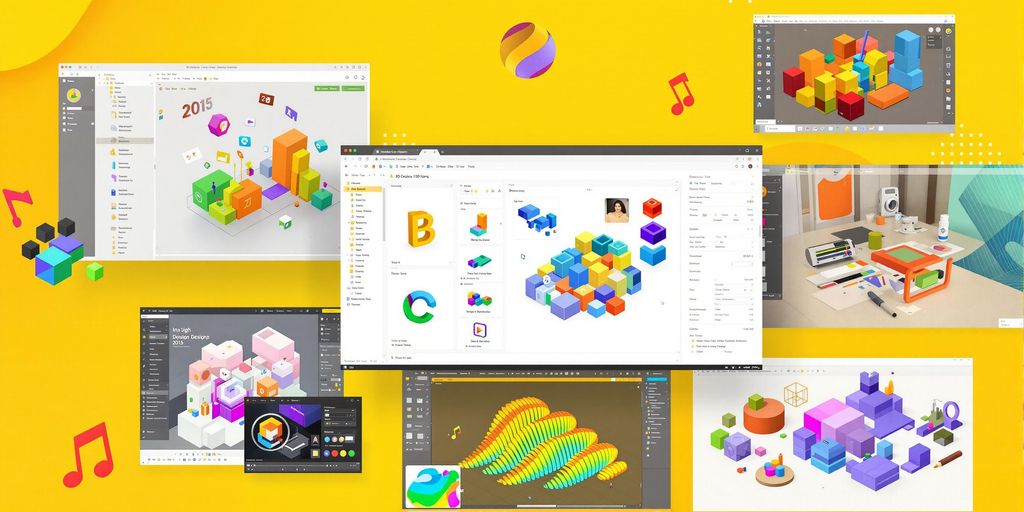
When working on a 3D project with a team, having tools that support real-time collaboration can make a world of difference. Many platforms now allow multiple users to edit the same design simultaneously, which means no more emailing files back and forth. This feature is a game-changer for teams that need to stay on the same page, especially when working remotely. Look for tools that include live chat or comment features to streamline communication.
Cloud-Based Storage and Sharing
Cloud storage is another must-have for collaborative 3D design tools. It ensures that your work is backed up and accessible from anywhere. Many tools offer integrated cloud storage solutions that allow you to share your designs with a simple link. This is especially useful for getting feedback from clients or other stakeholders without needing them to download special software. Plus, it keeps everyone updated with the latest version of the project.
Best Tools for Group Projects
Here are some popular tools designed for group projects in 3D design:
- Tinkercad – Perfect for beginners and small teams.
- Vectary – Offers browser-based collaboration with ease.
- Blender – A powerful open-source option for advanced teams.
Each of these platforms provides unique features tailored for teamwork, from intuitive interfaces to robust sharing options.
Collaborative tools are not just about convenience; they’re about bringing creativity and efficiency together in a way that individual tools simply can’t match.
3D Design Tools for Interior and Architectural Projects by My Home
Specialized Features for Home Design
When it comes to designing your dream home, 3D design tools are a game-changer. They let you visualize your ideas in a way that 2D sketches simply can’t. Many platforms allow you to draw floor plans, experiment with layouts, and even add furniture to see how it all comes together. Tools like AI-powered interior design software can even suggest layouts or decor options based on your preferences. This means you can plan your space down to the last detail without lifting a hammer.
Rendering Tools for Realistic Previews
Realistic rendering is where these tools truly shine. With high-quality rendering features, you can see how your design will look in real life, complete with accurate lighting and textures. This is especially useful for making decisions about materials or color schemes. Some software even offers virtual walkthroughs, so you can "step into" your design before construction begins. It’s like test-driving your home before it’s built.
Popular Software for Architects
For professionals, software like SketchUp and AutoCAD are industry favorites. These tools offer precision and flexibility, making them ideal for complex architectural projects. They also integrate well with other platforms, streamlining the workflow from concept to construction. If you’re looking for something more accessible, there are browser-based options that are affordable and beginner-friendly, yet still powerful enough for professional use.
AI-Powered 3D Design Tools by My Home
How AI Enhances 3D Modeling
AI has completely changed the way we approach 3D modeling. By automating repetitive tasks, designers can now focus on creativity rather than tedious details. For example, AI can instantly generate textures, suggest layouts, or even optimize shapes for better functionality. This isn’t just about saving time—it’s about opening up new possibilities that were once too complex to tackle manually. Think of it as having a super-smart assistant that learns your style and preferences, making every project feel uniquely tailored.
Automated Design Suggestions
Ever feel stuck staring at a blank screen? AI tools have your back. These platforms analyze your inputs—like room dimensions, furniture preferences, or even color schemes—and suggest layouts or decor ideas. Some tools even simulate natural lighting to show how your space will look at different times of the day. Here’s a quick look at what automated suggestions can do:
- Recommend furniture arrangements based on room size.
- Suggest color palettes that match your style.
- Highlight potential design flaws before you even start building.
AI for Interior and Exterior Projects
AI isn’t just for interiors; it’s just as powerful for exterior projects. Whether you’re planning a garden, designing a deck, or reimagining your home’s facade, AI tools offer unmatched precision. They can calculate everything from material needs to environmental impact. For instance, some platforms allow you to upload a photo of your house and visualize how new paint, landscaping, or structural changes would look in real-time. This makes it easier to make informed decisions and avoid costly mistakes.
AI-powered tools don’t just make designing easier—they make it smarter. They help you see the bigger picture while handling the small details for you.
If you’re considering a home renovation, Ruach Home Services can complement these tools with their expert craftsmanship, ensuring your designs come to life exactly as you envision.
Tips for Choosing the Right 3D Design Tool by My Home
Factors to Consider Before Investing
When picking a 3D design tool, it’s important to think about your specific needs. Are you working on professional projects or just starting out? Your skill level and goals will shape the tool you choose. For beginners, tools like Tinkercad are simple and easy to learn. Professionals, on the other hand, might lean toward software like Revit or Rhino for precision and advanced features.
Other things to weigh include:
- Budget: Some tools are free, while others require subscriptions or hefty one-time payments.
- Compatibility: Does the software work on your current computer or operating system?
- Features: Make sure the tool has the functions you’ll actually use—no need to pay for extras you don’t need.
Trial Versions and Free Resources
Before committing to any software, take advantage of free trials. Many programs offer a limited-time trial so you can test features and see if it fits your workflow. Blender, for example, is completely free and packed with features for modeling, animation, and rendering.
Don’t forget about online tutorials and forums. They’re a goldmine for learning tips and troubleshooting issues. You might even find free resources bundled with the software itself, helping you get up to speed quickly.
Balancing Cost and Features
Finding the right balance between cost and features can be tricky. Some tools, like SketchUp, offer a free version with basic functionality and a paid version for more advanced options. This tiered approach can help you grow into the software as your skills improve.
If you’re working on a tight budget, consider open-source options or tools with flexible payment plans. That way, you can still access the features you need without breaking the bank.
Remember, the best tool for you isn’t necessarily the most expensive—it’s the one that fits your needs and helps you achieve your goals efficiently.
When picking the best 3D design tool for your home projects, consider what you really need. Think about how easy it is to use, the features it offers, and if it fits your budget. Don’t forget to check out reviews from other users to see what they liked or didn’t like. For more tips and to find the perfect tool for you, visit our website!
Wrapping It Up
So, there you have it—a look at some of the best 3D design tools out there. Whether you’re just starting out or you’ve been at this for years, there’s something for everyone. The key is figuring out what fits your needs, budget, and skill level. Don’t be afraid to try a few options, especially if they offer free trials or online versions. At the end of the day, the right tool can make all the difference in bringing your ideas to life. Happy designing!
Frequently Asked Questions
What is 3D design software used for?
3D design software is used to create three-dimensional models and designs. It’s commonly used in fields like architecture, animation, game development, and product design. These tools help visualize ideas, simulate real-world objects, and improve communication in design projects.
Can beginners use 3D modeling tools?
Yes, many 3D modeling tools are designed with beginners in mind. They offer simple interfaces, tutorials, and features that make it easier to learn the basics. Tools like Tinkercad and SketchUp are particularly beginner-friendly.
Are there free 3D design tools available?
Yes, there are several free 3D design tools available online. Software like Blender, Tinkercad, and Spline offer powerful features without any cost, making them great options for those on a budget.
How do I choose the right 3D design software?
Choose a tool based on your needs, skill level, and budget. Consider factors like ease of use, available features, compatibility with your hardware, and whether it suits your specific projects, such as animation or home design.
Can I use 3D design tools for team projects?
Yes, some 3D design tools offer collaboration features, allowing multiple users to work on the same project in real time. Cloud-based tools like NVIDIA Omniverse are great for team projects.
Do I need a powerful computer for 3D modeling?
It depends on the software and complexity of your projects. While basic tools can run on standard computers, advanced software with high-performance rendering may require a powerful computer with a good graphics card and ample memory.